Function Block (Early Access)
Note: Logic Modeling is still in Early Access. Logic Modeling features created during Early Access, including plugins and integrations, may not be fully compatible with future versions of Visual Components.
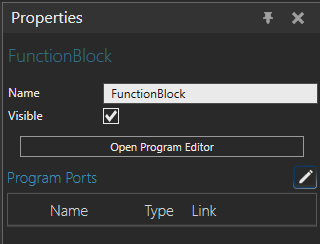
The Function Block behavior enables a component to interact with Logic Modeling. Use the behavior to define the inputs and outputs that expose component properties and functionality to a Function Block Diagram.
A Function Block behavior contains a Logic Program with input and output ports and Structured Text (ST) code. The Program Ports section lists the ports defined for the Function Block and their links to component properties. Click Open Program Editor to create and configure ports and define the Function Block logic. For more information, see Editor di programmi logici.
When you add a component containing a Function Block behavior to a layout, the Function Block becomes available in the Function Block Library on the LOGIC tab. You can then add it to a Function Block Diagram and connect it to other Function Blocks.
Properties
| Name | Description |
| Name | Defines the name of the Function Block. |
| Visible | Defines the visibility of the Function Block. |